
HP laptops are extremely popular in India among students, professionals, small businesses, and home users. Every HP laptop has a unique Serial Number (usually 10 alphanumeric characters, often starting with 5CG, MXL, or similar). You need this number for:
- Checking warranty status on the HP website.
- Registering your laptop for support or extended warranty.
- Claiming service at HP centers.
- Selling or buying used laptops (common on OLX, Cashify, or local markets).
- Troubleshooting technical issues with HP support.
- Insurance claims or police verification (in case of theft).
This guide works on Windows 10 and Windows 11, which are most common on HP laptops in India.
1. Check Serial Number on the Physical Sticker (No Power Needed)
This is the easiest offline method.
- Flip your laptop upside down.
- Look for a white or silver sticker on the bottom panel.
- Find the field labeled Serial Number, S/N, or SN.
- The number is usually 10 characters long.
Additional Locations:
- Under the battery (if removable): Power off the laptop, remove the battery, and check inside the compartment.
- On the side or back of the laptop (some slim models).
- On the original box or packaging.
Tip: Take a clear photo of the sticker and keep it safe.
2. Using HP System Information Window (Fastest Keyboard Shortcut)
This is the official and quickest way on most HP laptops.
- Turn on your laptop and log in to Windows.
- Press the Fn + Esc keys together.
- The HP System Information window will open.
- You will see:
- Product Name
- Product Number
- Serial Number
No need to install anything — this works on almost all HP models.
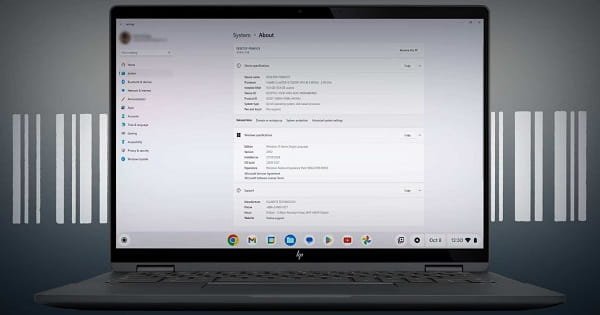
3. Check in Windows Settings
- Press Windows key + I to open Settings.
- Go to System → About.
- Scroll down to Device specifications.
- You may see the serial number here (on some HP models). If not, use other methods.
4. Using Command Prompt (Reliable Method)
- Press Windows key + S, type cmd, right-click on Command Prompt, and select Run as administrator.
- Type the following command and press Enter:
text - wmic bios get serialnumber
- Your serial number will appear immediately below.
Alternative commands:
text
wmic csproduct get serialnumber
or
text
wmic csproduct get name,identifyingnumber
5. Using HP Support Assistant (Recommended for Full Details)
- Search for HP Support Assistant in the Windows search bar and open it (pre-installed on most HP laptops).
- Click on your device tile.
- You will see the Serial Number, Product Number, and warranty information.
If not installed, download it from the official HP website.
6. Check in BIOS/UEFI
- Restart your laptop.
- Repeatedly press F10 (or Esc then F10) while booting to enter BIOS.
- Go to the System Information tab.
- Look for Serial Number.
7. Other Methods
- HP Website: Visit support.hp.com, enter your serial number to check warranty (useful to verify).
- PowerShell: Open PowerShell and run:
text - Get-WmiObject win32_bios | Select SerialNumber
- Third-party Tools: Use CPU-Z, HWMonitor, or Speccy (download from trusted sites only).
Why Serial Number is Important for Users
- Warranty: Most HP laptops come with 1-year warranty. You can extend it on the HP India website.
- Service Centers: HP authorized centers across cities like Delhi, Mumbai, Bangalore, Hyderabad, etc., ask for the serial number.
- Buying Used Laptops: Always verify the serial number matches the invoice to avoid refurbished or stolen devices.
- Online Purchase: When buying from Amazon, Flipkart, or Reliance Digital, note down the serial number from the box.
Common Troubleshooting
- Serial number not showing? Restart and try again. Update BIOS from HP Support.
- Sticker worn out? Use Fn + Esc or Command Prompt method.
- Laptop not turning on? Rely on the bottom sticker or box.
- Multiple numbers? The 10-character alphanumeric code is the Serial Number. Product Number is different.
- Error in Command Prompt? Run as Administrator.
Extra Tips for Users
- Warranty Check: Go to support.hp.com/in-en → Enter Serial Number → Check status.
- Extended Warranty: Buy HP Care Pack for 2-3 years coverage — very useful due to power fluctuations and dust.
- Students: Keep serial number and invoice safe for college hostel registrations.
- Used Market: Always ask the seller to show Fn + Esc screen before buying.
- Theft/Loss: File a police complaint with the serial number for better chances of recovery.
- Maintenance: Clean the bottom sticker area carefully. Avoid removing stickers.
- Battery Removal Models: Older HP models (like Pavilion, Envy series) have removable batteries.
- Newer Slim Models: Serial number is on the bottom chassis.
Conclusion
Finding the serial number of your HP laptop is quick and easy. The best methods are:
- Fn + Esc keys (fastest)
- Sticker on the bottom
- Command: wmic bios get serialnumber
Save this article or take a clear photo of your serial number and warranty details. Keeping this information handy will save you time and money when you need HP support.
Share this guide with your friends, family, or colleagues who use HP laptops. Whether you are a student, working professional, or small business owner in India, knowing these simple steps is very useful.